
EFFECTIVE THURSDAY, MARCH 5, 2026
We’re excited to share a preview of several enhancements coming soon to your digital banking experience. These updates are designed to make it easier to view your balances, navigate your accounts, and stay on top of important alerts — all while keeping your dashboard clean and simple.
Below, you’ll find a comprehensive walkthrough of all the upcoming changes, why they’re happening, and how they benefit you.
A Simpler, More Streamlined Dashboard
Your main dashboard will now display only your Available Balance. This is the balance you can use right away — without pending holds or processing delays.
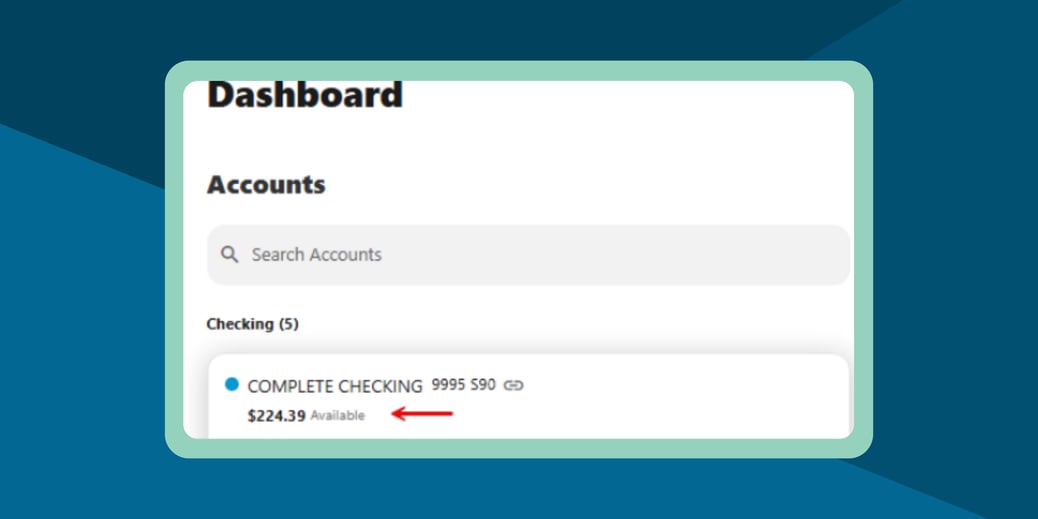
Why the change?
- Many members shared that having both Available and Current Balances visible in the same view created confusion.
- Showing only the Available Balance makes the dashboard cleaner and eliminates guesswork about what funds are accessible.
Will the Current Balance come back?
Yes! The Current Balance will return in a later update this year. We are currently weighing the best member experience.
What you may notice:
- Your dashboard will look cleaner.
- If you're used to seeing two balances, you may wonder where one went — but rest assured, nothing has changed about how your money works.
Removal of the “Hide Accounts” Feature
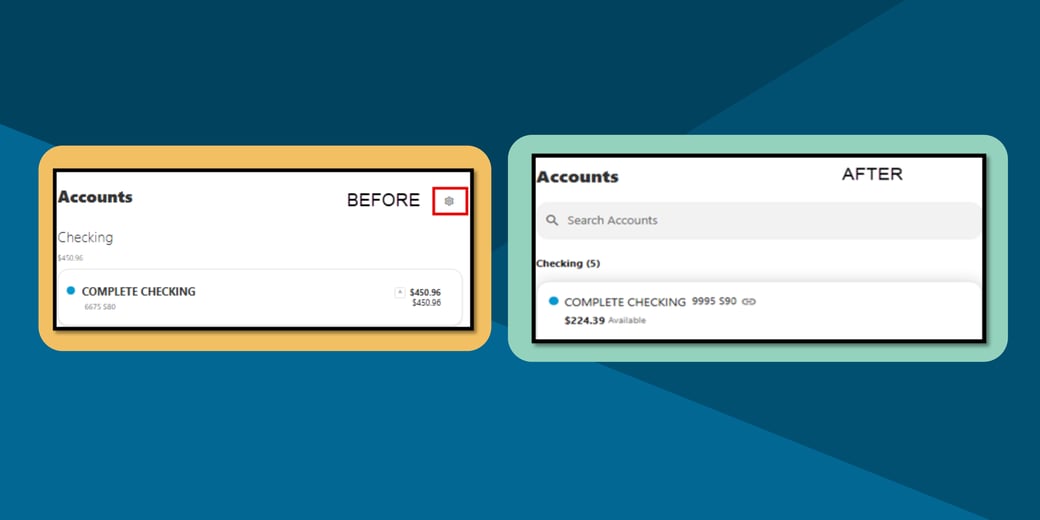
The previous method of hiding accounts from your dashboard will no longer be available.
Why this change?
This feature was used inconsistently across different portions of the platform and caused visibility issues for some members. Removing it ensures a consistent and predictable account list for everyone.
What you may notice:
- The missing setting icon (seen in the red box above)
- You may see more accounts than before displayed on your dashboard.
- All accounts tied to your membership will appear in one place for transparency and easy access.
Alerts Are Now Consolidated Into One Location
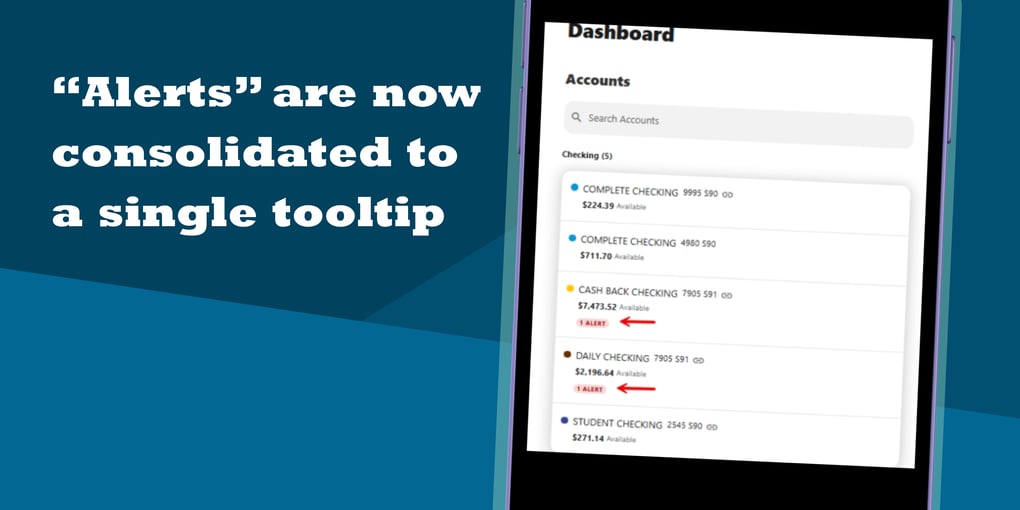
Instead of appearing in multiple areas across your online banking dashboard, all alerts will now be grouped together inside a single, unified tooltip.
How this helps you:
- You’ll only need to look in one place to find what needs your attention.
- The new design reduces clutter and makes it easier to track updates.
Bonus improvement:
Pending transactions will appear within this alert view as well. This gives you a clearer understanding of what is still processing and helps you stay on top of payments or card activity that hasn’t fully posted.
Enhanced Account Search & New Filtering Tools
Finding the right account is now easier than ever.
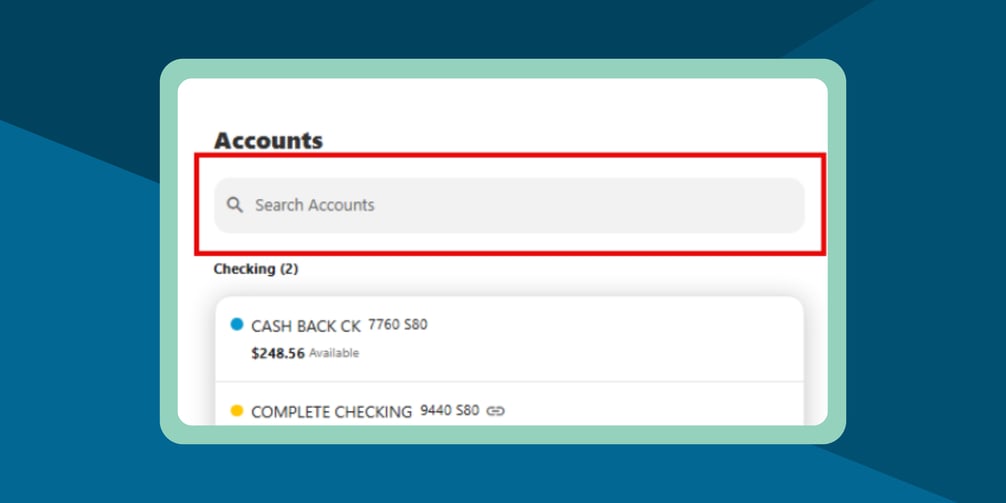
The update includes:
- A new Account Search bar for quickly locating a specific account
- New filters that help you sort and organize your view — ideal for both personal and business users
- Support for more advanced filtering options for members who manage multiple accounts
What this means for you:
- Faster navigation
- Less scrolling
- More control over how your account list appears
These tools are especially beneficial for members who have many accounts or who manage finances for multiple entities.
Updated Account Menu for Easier Information Access
The account menu has been reorganized to make important details easier to find. Key changes include:
- CD maturity dates now appear under the Payment Info section
- The “Pay Now” button has been renamed to “Payment Due” to better reflect timing
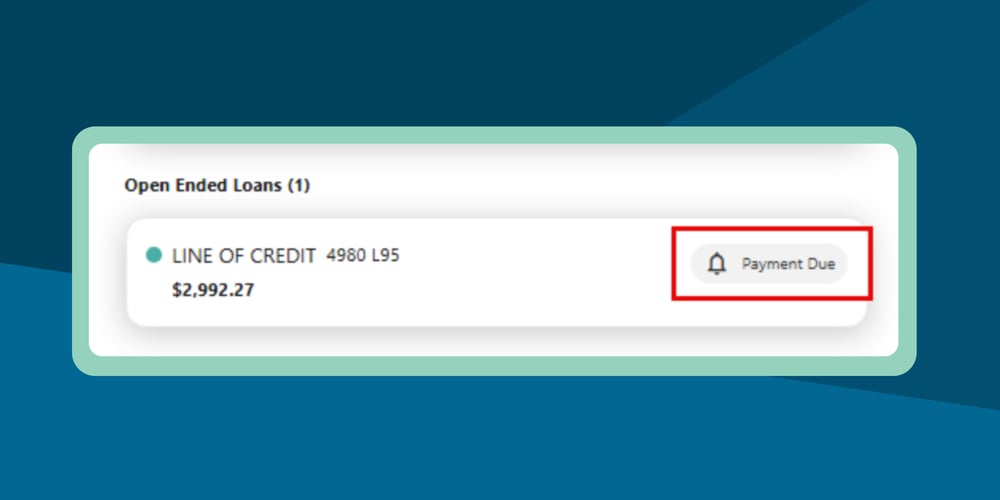
Why this matters:
This new layout helps improve clarity and ensures that time‑sensitive information — such as due dates or maturity dates — is located where most members expect to find it.
Note:
Some users may find the new naming and placement unfamiliar at first, but these changes are designed to make long‑term navigation easier.
New Business Member Feature: Account Tagging
Business members will gain access to a powerful new organizational tool: Account Tagging.
With this feature, you can:
- Add custom tags to accounts
- Group accounts by the tags you create (e.g., “Payroll,” “Operations,” “Taxes,” “Location A,” etc.)
- Use these tags as filters directly in your dashboard
How this helps your business:
- Enhanced organization
- Faster reporting
- A personalized experience tailored to how you manage your finances
This feature is especially helpful for businesses managing multiple accounts across different functions, departments, or subsidiaries.
We’re Here to Support You
As always, our goal is to make your digital banking experience simple, secure, and stress‑free. If you have questions about the updates or need help navigating the new features once they’re released, our team is ready to assist.
These enhancements all work together to create an easier, modern, and member‑friendly digital banking environment.

You can also contact us via email at MemberServices@mccu.com or by phone at 281.398.9900.